


Sprouty
4.53.00 Reviews
App Specs
- Version
- 1.41.3
- Updated On
- License
- Free
- Downloads
- 100,000+
- Developer
- Sprouty ltd
- Categories
- Parenting
- Platform
- Android
Screenshots

 Analysis by AppCompare
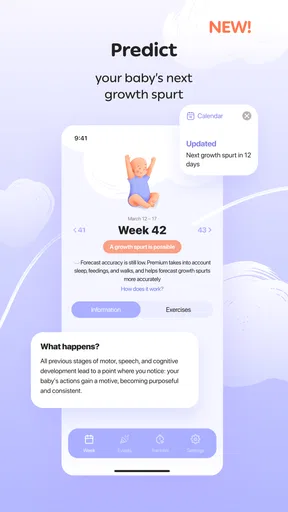
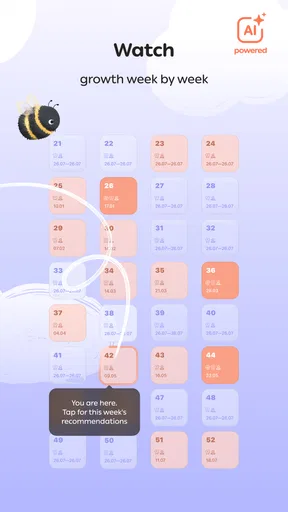
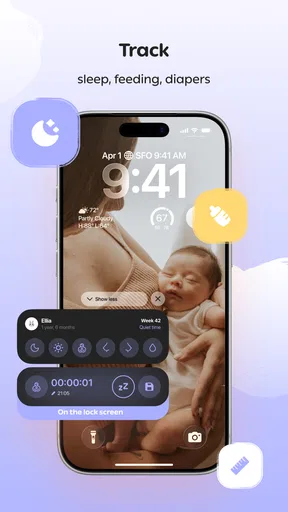
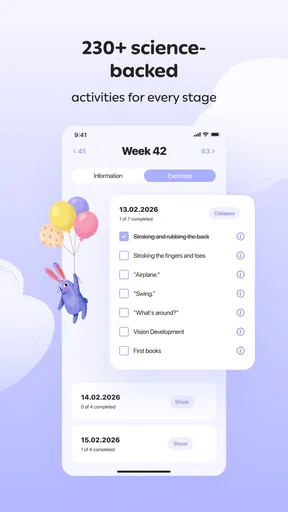
For a parenting app, trust starts with a simple question: what am I being asked to share, and what choices do I have? Sprouty is published by Sprouty ltd and focuses on tracking development and activity. That can make it relevant to parents who want a clearer record of a child’s routines and progress, but it also means the information entered may feel personal. I’d approach it as a practical organizer, not as a substitute for a conversation with a health professional or a family’s own judgement.
What I would check before adding family details
When an app is used around parenting, the useful question is not just whether its screens are easy to use; it is whether the choices shown during setup and everyday use make sense for your household. I would read each prompt before entering information, especially if it asks for details about a child, and pause whenever I did not understand why a particular item was needed. That small habit is more useful than assuming every field is essential.
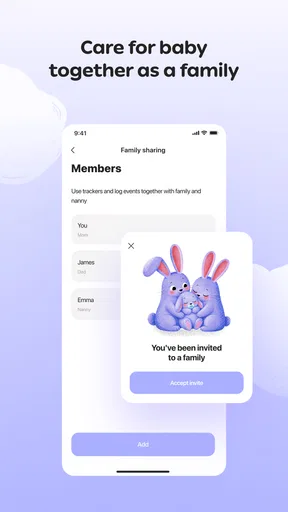
I would also decide in advance who in the family needs access and what information they actually need. A shared device, a parent’s personal phone, and a tablet used by several people create different privacy situations. Keeping the app on a device with an appropriate screen lock, and avoiding casually handing over an unlocked phone, are sensible basics for any app that might contain family-related notes.
Controls matter more than reassuring language
I look for clear, visible ways to review what I have entered, change it, and manage an account. Those are the kinds of controls that let a parent correct a mistake or stop using an app without feeling locked into a routine. I would take a moment during setup to notice which choices are presented, rather than tapping through quickly just to reach the main screen.
Sprouty is free to download, with optional in-app purchases ranging from about four dollars to eighty dollars per item. I would treat any purchase prompt as a separate decision from whether the app is useful: first work out which parts you can use without paying, then decide whether an upgrade solves a real need for your family. The app is rated for Everyone, has an average rating of 4.4 from around 3,900 ratings, and has been installed over 100,000 times. Those figures offer a sense of its reach, but they do not tell me whether its approach to information will suit an individual household.
Use it thoughtfully around sensitive moments
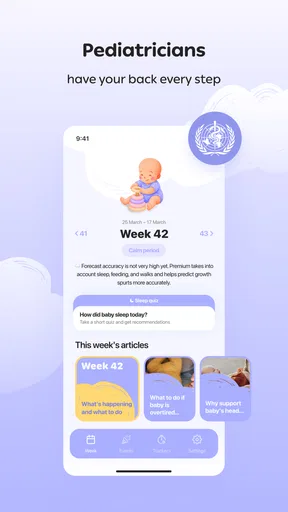
Development and activity tracking can be handy when a busy week makes small changes hard to remember. It may help a parent prepare questions for a check-in or keep personal notes in one place, rather than relying on a half-remembered conversation. I would still keep expectations modest: an app record can support your own observations, but it should not become a diagnosis or a scorecard for a child.
A practical routine is to enter only what you expect to revisit. Before saving a note, ask whether it will help you make a decision, remember a pattern, or explain a concern later. If the answer is no, leaving it out keeps the record simpler and avoids collecting details just because a box is available. For anything important, I would also keep a backup in a format I can access independently of the app.
Worth Reading Before You Choose

Flipboard Shows What News Apps Must Do Beyond the Feed

Switching to Android Auto Means Rethinking Your Driving Routine

Google Calendar Makes a Crowded Week Easier to Manage

Ludo King Makes the Most of the Minutes Between Plans

Baby Panda World Brings Quick Play to Modern Phones, but Its Game Library Feels Busy

ESPN’s Live Game View Makes Following Close Games Easier
Who is likely to find it useful?
Sprouty may suit parents who like having a dedicated place to follow development and activity, particularly if they already use a phone to manage family routines. It is less appealing if you prefer paper notes, want to keep child-related information off apps, or need a tool whose privacy and account controls you have already reviewed in detail. In those cases, a notebook or a basic calendar may be a more comfortable fit.
Compared with a generic notes app, a parenting-focused tool can make the subject matter feel more organized and easier to return to. A calendar is often better for simple reminders, while a notebook gives you direct control over where your notes live. The trade-off is convenience: a dedicated app may keep relevant entries together, but it also asks you to trust one more digital service with family information. I would choose based on the record-keeping habit I can realistically maintain, not on the assumption that more tracking is always better.
Getting Started with Sprouty
First things first, downloading Sprouty was a breeze. It’s available on both Android and iOS, so no worries about compatibility. Once downloaded, setting it up was as easy as pie. The app welcomed me with a clean interface, which is always a plus for a tech-challenged person like me.
After a quick sign-up process, I was ready to start adding my plants. The app allows you to either snap a photo of your plant or select from a pre-existing list. I loved that it recognized my monstera right off the bat! The identification feature is super handy for those of us who can’t tell a fern from a ficus.
Features That Made Me Say "Wow!"
One of the coolest features of Sprouty is its care reminders. You can set custom notifications for watering, fertilizing, and even repotting. No more guessing games or overwatering disasters! The app also provides a detailed care guide for each plant, tailored to its specific needs.
Another feature I found impressive is the plant health checker. You can upload a photo of a sick plant, and Sprouty analyzes it to give you potential diagnoses and solutions. It’s like having a plant doctor in your pocket. Pretty neat, right?
For those who thrive on stats, Sprouty offers a growth tracker. It lets you log the growth and changes in your plants over time. I’ve found this feature particularly satisfying since it’s like a visual diary of my plants’ journey.
Everyday Use and My Personal Experience
Day-to-day, Sprouty has proven to be a reliable companion. I used to forget watering schedules all the time, but now I get timely reminders which have seriously saved my plants from a thirsty demise. Plus, the app’s community section is a great place to share tips and get advice from other plant enthusiasts.
The user interface is intuitive, and I love how easy it is to navigate through the app. The design is sleek, with just the right amount of color to make it lively without being overwhelming. It’s clear that a lot of thought has gone into the user experience.
A Few Things to Consider
While Sprouty is fantastic, it’s not without its quirks. For instance, the initial setup can be a bit time-consuming if you have a vast collection of plants. But once you’re over that hump, it’s smooth sailing.
Also, the health checker, while useful, sometimes requires clearer photos for accurate diagnostics. So, make sure you have good lighting when snapping those pics!
Final Thoughts
Overall, I’m thrilled with how much Sprouty has helped me level up my plant care game. It’s made me feel more connected to my plants and way more confident in caring for them. If you’re a plant parent—whether a newbie or a seasoned pro—I’d say this app is worth a shot.
And hey, the best part is that the basic features are free, with options to upgrade if you want to dive deeper into the plant care world. Happy growing!
Making tracking useful without turning it into a chore
The strongest case for a development-and-activity tracker is not that it can record everything; it is that it can help a parent notice what matters without adding another demanding routine. I would start with one or two kinds of entries I genuinely want to revisit. If I try to document every ordinary moment, the logging itself can become the main task, and the information I care about gets buried in a stream of details.
A realistic use might be a parent who has a brief appointment coming up and wants to remember a few observations from the week. Rather than trying to reconstruct them in the waiting room, they can make concise notes when the moments happen and later review them together. The value is in having a clearer starting point for a conversation, not in treating the app’s record as a formal assessment.
Another useful approach is to agree on a shared vocabulary with anyone else who contributes. If one caregiver records a broad activity and another uses a narrower label, entries may be hard to compare later. A quick household rule—what counts as worth noting, and how much detail to include—can make the record more consistent without demanding that everyone use the app in exactly the same way.
Small decisions that improve the routine
I would keep entries brief and readable rather than writing a full diary each time. A short note that captures the context is often easier to use later than a bare label, but lengthy descriptions take more effort and can expose more personal detail than necessary. This is a practical balance: enough context to make an entry meaningful, not a complete account of a child’s day.
It also helps to choose a regular moment to review the record instead of checking it repeatedly. A parent might look back once before a planned discussion or at the end of a week, then decide whether the tracking is still serving a purpose. If it creates worry, comparison, or pressure to log more, simplifying the routine—or stepping away from it—is a reasonable choice.
Parents often wonder whether a tool like this can replace a calendar, a notebook, or professional guidance. I would use it only for the first part of that job: organizing personal observations. A calendar remains more straightforward for time-based reminders, a notebook offers a familiar offline alternative, and a qualified professional is the right person for interpreting a concern. Keeping those roles distinct prevents a convenient record from being mistaken for an answer.
Compatibility, cost, and choosing with care
The app is free, is intended for Everyone, and its current version is 1.37.9, with Android support from version 8.0. Those details make it easier to judge whether an existing device can run it and whether trying it fits a household’s budget, but the optional purchases still deserve a deliberate look. I would not pay simply because an upgrade is offered; I would first identify a specific feature I expect to use and decide whether it is worth the cost to me.
Sprouty has been available since April 16, 2023, and has a small set of written reviews alongside its broader rating count. I read that as a reason to make my own decision based on the app’s actual setup and ongoing usefulness, rather than treating popularity as proof that it is the right place for sensitive family notes. The developer is Sprouty ltd, and parents should make their own comfort with the app’s visible choices part of the decision.
A cautious recommendation for the right household
My recommendation is conditional: Sprouty is worth considering if a dedicated parenting app fits a record-keeping habit you already want, and if the choices it presents feel acceptable to you. I would keep the first entries minimal, check the purchase options before committing, and reassess after using it for a while. That gives you a low-pressure way to find out whether it genuinely reduces mental clutter.
I would skip it if you want a plant-care tool, since the plant identification, watering reminders, health checker, growth tracking, and plant community described in the app experience above do not match its parenting purpose. That mismatch matters: an app’s name or a mistaken description should not outweigh its actual category and intended use. For parents, the sensible test is whether it helps organize development and activity in a way that feels manageable and appropriately private. For anyone else, a general note-taking tool—or no tracking app at all—may be the better choice.
Pros
- User-friendly interface for easy navigation.
- Wide variety of creative tools available.
- Regular updates enhance features.
- Cross-platform compatibility.
- Excellent customer support response.
Cons
- Occasional bugs can disrupt usage.
- Some features require in-app purchases.
- High battery consumption during use.
- Limited offline functionality.
- Ads can be intrusive for free users.
FAQs for Sprouty
What platforms is Sprouty available on?
Sprouty is available for both Android and iOS devices. You can download it from the Google Play Store for Android devices and the Apple App Store for iOS devices. Make sure your device meets the minimum system requirements for a smooth experience.
Is Sprouty free to download and use?
Sprouty is free to download and offers a range of features without charge. However, it includes optional in-app purchases and a subscription model to unlock premium features, which enhance the overall experience. These purchases are entirely optional and not necessary for basic functionality.
What are the main features of Sprouty?
Sprouty offers a variety of features, including customizable themes, real-time collaboration tools, and integration with popular cloud services. It also provides a user-friendly interface and robust security measures to protect your data. These features make it a versatile app for both personal and professional use.
How does Sprouty ensure user privacy and data security?
Sprouty employs advanced encryption techniques to protect user data during transmission and storage. It adheres to strict privacy policies and complies with international data protection regulations. Users have control over their privacy settings and can customize them according to their preferences.
Can I use Sprouty offline?
Sprouty offers limited offline functionality. You can access and edit previously loaded data, but real-time updates and certain features require an internet connection. This hybrid approach allows users to work on the go while ensuring that all changes sync once connectivity is restored.


